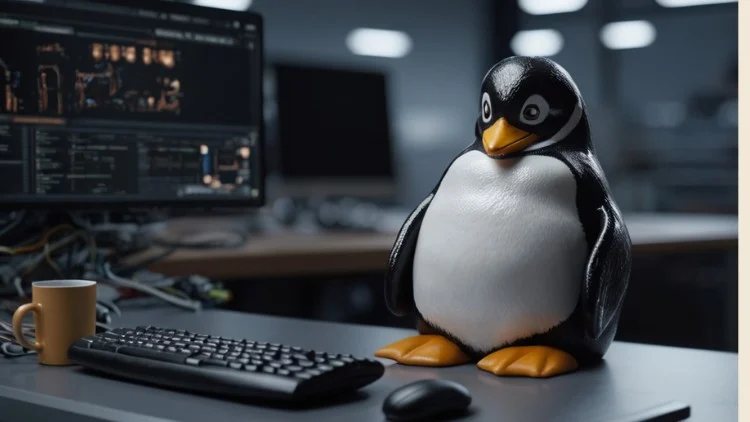
Oh, you’re actually thinking about rolling your own Linux system from scratch? That’s not just nerdy—that’s *Olympic-level* nerdy. Mad respect. Honestly, you’re braver than most. 👏
Let’s not pretend this is some “click next, accept the terms” kind of deal. Nah, this is the kind of project where you’ll question your life choices, probably more than once. Think Bear Grylls, but instead of eating bugs, you’re wrestling with bash scripts and compiler errors. There’s no hand-holding here.
Imagine backpacking into the woods with just a stick and questionable optimism. Like, sure, you *could* survive… but wouldn’t you rather have a tent? Trust me, you want your digital tent. Let’s talk gear before you go running into the wilderness.
Here’s what you actually need so you don’t end up rage-crying into your keyboard:
1. A Sacrificial Computer or VM 💻
Seriously, don’t do this on your main machine unless you’ve got a thing for chaos. You need something you can nuke without tears:
- VirtualBox (it’s free and it just works, no complaints)
- VMware (if you want a little more muscle)
- That five-year-old laptop in the closet (bonus: if it dies you’ll probably feel nothing)
Just don’t skimp on specs. 4GB RAM minimum, 20GB-ish space. More = better. Don’t risk future-you’s sanity.
2. A Host Distro 🐧
Here’s the plot twist—need Linux to build Linux. Yeah, it’s a little meta. Go light:
- Ubuntu Minimal (easy mode)
- Debian (solid as a rock)
- Arch (for the brave, or the masochists)
You’ll need a working system with basic tools, so don’t try to get cute with weird distros.
3. GCC & Build Tools 🔨
This is where you’ll spend half your time cursing. Essentials:
- GCC (the compiler overlord)
- make (your build sidekick)
- binutils (does all the behind-the-scenes grunt work)
If your system is bare, just run:
sudo apt install build-essential
Skip this, and you’ll regret it. Promise.
4. Text Editor (Pick Your Weapon) ✍️
You’re gonna be editing more config files than you ever wanted. Options:
- nano (friendly to noobs)
- vim (if you like living dangerously)
- VS Code (if you like your GUIs pretty)
Doesn’t matter, just make sure you know how to use it. Getting stuck in vim is a rite of passage.
5. Internet & The LFS Book 🌐
The LFS Book is your holy scripture now. Don’t close it. Ever.
- linuxfromscratch.org
- Download the PDF, glue it to your second monitor
6. wget or curl 📥
Fetching source code manually? Don’t be that person. Just run:
sudo apt install wget curl
Trust me, you’ll save yourself hours of pain.
7. Disk Partitioning Tools 💽
Going bare-metal? Living on the edge, huh? You’ll need:
- fdisk or parted (for slicing up disks)
- mkfs (for making those slices usable)
One typo here and—poof—bye-bye, data. Hope you’ve got backups.
8. Patience & Coffee ☕
Honestly, you’re gonna need both. This isn’t a sprint, it’s a slow-motion obstacle course. Caffeine helps, but don’t blame me when you’re pulling an all-nighter.
Last Bit of Wisdom
This isn’t about speed. It’s about learning, flexing, and ending up with a system that’s 100% yours (and probably a few more gray hairs). Get your arsenal ready now, unless you enjoy rage-googling at 2AM.
So, deep breath. Grab your tools. Open that LFS Book like it’s the final boss. Go forth and build something totally custom. You got this, you absolute legend. 🚀🐧